
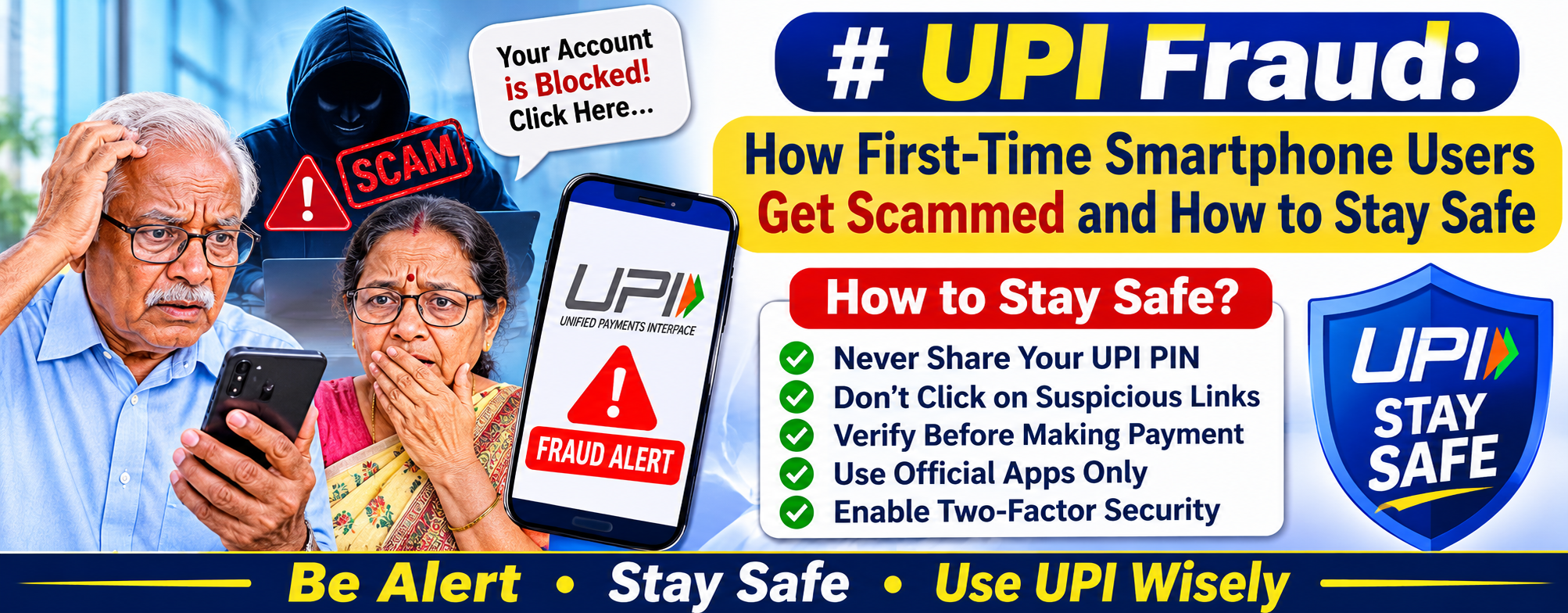
UPI Fraud: How First-Time Smartphone Users Get Scammed and How to Stay Safe
A breakdown of common UPI scam patterns in India, like fake collect requests, QR code tricks, and remote-access fraud, with practical safety habits.
Why First-Time Smartphone Users Are the Most Targeted Group
Unified Payments Interface, or UPI, has made moving money in India faster and simpler than ever — a bank transfer that once needed a branch visit or a cheque now takes seconds from a phone. But that same simplicity is exactly what scammers exploit. People who are new to smartphones and digital payments, including students, elderly relatives, and first-time earners, are disproportionately targeted because they are less familiar with the subtle signs that distinguish a legitimate payment request from a scam.
The patterns used by scammers are not random; they follow a handful of well-documented tricks that repeat constantly across India. Recognising these patterns is the single most effective defence, because UPI itself is a secure system — nearly all UPI fraud succeeds not by breaking the technology, but by tricking the person using it.
Common UPI Scam Patterns
The Fake "Receive Money" Request
One of the most common tricks involves a scammer sending a payment request disguised as something you need to approve to receive money — for example, claiming to send you payment for an item you are selling online. In reality, approving a UPI "collect request" and entering your PIN authorises a payment out of your account, not into it. The golden rule is simple: receiving money never requires you to enter your UPI PIN. If a screen asks for your PIN and claims it is to "receive" a payment, it is a scam.
QR Code Scams
Scammers sometimes share a QR code claiming it will let you receive a payment, or swap out a legitimate seller's QR code for their own. Scanning a QR code and entering your PIN to "collect" money works exactly like the fake request scam above — it actually sends money out. QR codes should only ever be scanned when you intend to pay someone, never to receive payment.
Remote-Access App Scams
A caller posing as a bank representative, delivery agent, or customer support executive may ask you to install a remote-access application (commonly used for legitimate tech support) under the pretext of "solving an issue" or "processing a refund." Once installed, this software can let the scammer see your screen and, in some cases, perform transactions. No genuine bank or payment company asks you to install remote-access software to fix a personal account issue.
Fake Customer Care Numbers
Scammers register fake customer care numbers and list them prominently on fake websites, social media comments, or search results, impersonating banks, UPI apps, or e-commerce platforms. A worried customer searching for help calls the number, and the "support agent" then guides them through steps that compromise their account. Always get customer care numbers from the official app or the bank's verified website — never from a general web search or an unsolicited message.
SIM Swap Fraud
In more advanced scams, fraudsters gather enough personal information to convince a mobile carrier to issue a duplicate SIM card for your number, which can let them intercept OTPs and take over accounts linked to that number. This usually requires the scammer to already have significant personal information, which is often collected through smaller scams or data leaks beforehand.
Concrete Habits That Keep You Safe
- Never enter your UPI PIN to receive money — PIN entry is only ever needed to send or authorise a payment.
- Never scan a QR code sent to you by someone claiming it will transfer money to you.
- Never install a remote-access or screen-sharing app at the request of an unknown caller.
- Get helpline numbers only from official apps or verified websites, not search engines or messages.
- Treat any urgent, pressuring tone ("do this immediately or you'll lose access") as a warning sign, since scammers rely on panic to bypass careful thinking.
- Set a reasonable per-transaction UPI limit in your banking app so a single mistake cannot drain your entire balance.
- Regularly check your bank statement and transaction history for unfamiliar activity.
If a payment instruction ever requires you to act "to receive money," stop and verify independently before doing anything — that single pause prevents the vast majority of UPI scams.
What to Do If You Suspect You Have Been Scammed
- Immediately contact your bank's official helpline (found through the bank's verified app or website) to report the transaction and request a block if further transactions are possible.
- File a complaint through India's national cybercrime reporting portal or helpline as soon as possible — faster reporting improves the chance of recovery.
- Keep screenshots of the transaction, any messages from the scammer, and the suspicious number or app used.
- Change your UPI PIN and review which apps have access to your account.
Why Digital Safety Is Part of Digital Literacy
Learning to use a smartphone or a banking app is only half the picture; learning to use it safely is the other half, and it is often skipped entirely in informal, self-taught digital learning. This is why YDR Foundation's digital-literacy outreach work treats topics like UPI safety as seriously as teaching the basic mechanics of an app. For students and families from rural and economically weaker backgrounds who are often newer to digital banking, understanding these scam patterns before encountering them in real life can be the difference between a safe transaction and a financial loss that is very hard to recover from.